
About Punjab land records
Punjab’s official Land Records portal includes Jamabandi searches, mutation-related services and other revenue workflows. Depending on the service, users may search using owner name, Khewat number, Khasra number or Khatauni number and choose a revenue area and record period. Make sure the village, tehsil and period match the land in question.
Key terms to know
These terms are useful when searching for Punjab land information. Exact fields and legal effects depend on the document and the applicable state rules.
- Jamabandi / ਜਮਾਬੰਦੀ: A periodic revenue record containing landholding and rights-related entries. The record period and village matter when checking a result.
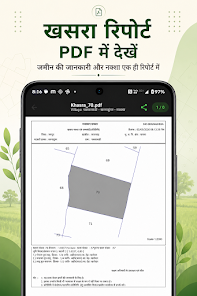
- Fard / ਫਰਦ: A copy or extract of a land/revenue record requested for a particular purpose. The type of Fard and whether it is digitally signed or certified should be confirmed with the official service.
- Khasra number / ਖਸਰਾ ਨੰਬਰ: A field or parcel identifier. It should be matched with the correct village and revenue area.
- Khewat number / ਖੇਵਟ ਨੰਬਰ: An account or holding reference used in Jamabandi search workflows.
- Mutation / ਇੰਤਕਾਲ: A process for recording a change in revenue entries, for example after transfer or inheritance. Review status and supporting details on the official portal.
How to check a land record step by step
- Select the correct region, district, tehsil and village on the official Punjab Land Records portal.
- Choose the Jamabandi search method offered, such as owner name, Khewat, Khasra or Khatauni number.
- Select the appropriate Jamabandi period/year and review the full record, not just a matching name.
- If a transfer or inheritance is involved, check the relevant mutation workflow and status.
- For a Fard required for a formal application or legal matter, follow the official request process and confirm the document’s validity with the receiving authority.
Official government resources
Use these official state services to verify information. A service may open a separate page or require additional details. Check the portal’s own instructions before submitting information or making a payment.
How BhuMap fits into the process
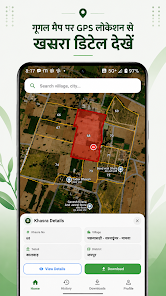
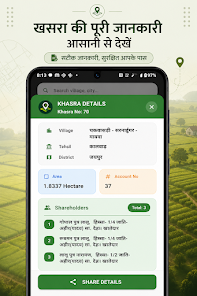
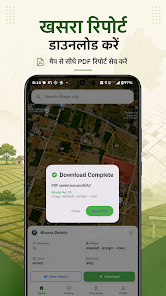
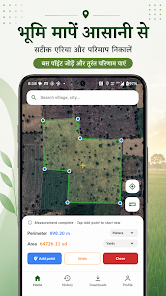
BhuMap is intended to make supported land-map tools and state-related information easier to explore on a mobile device. It can help users orient themselves and find relevant information, but it does not replace the state’s official system. Before relying on any app feature, confirm that it is available for your state and app version. For an official copy, correction, mutation, boundary demarcation or legal decision, use the prescribed government process.
Before using a land record for an important decision
- Confirm the district, tehsil/mandal/taluka and village match the land.
- Check the record period, update date, parcel identifier and area.
- Compare related records and registered documents where relevant.
- Do not treat a map screenshot or an informational page as proof of ownership or an official survey.
- For a purchase, loan, inheritance, dispute or boundary issue, consult the competent authority and a qualified legal professional.
Frequently asked questions
Can Punjab Jamabandi be searched by Khasra number?
The official portal lists Khasra-wise and other search options. Follow the current form and enter the correct revenue-area details.
Is every online Fard legally valid for every purpose?
The required form depends on the purpose and receiving authority. Confirm whether a digitally signed or otherwise certified document is required.
What is a Khewat number?
It is an account/holding reference used in Punjab revenue records and can be one of the available search methods.
Is BhuMap an official Punjab government app?
No. BhuMap is independent and is not affiliated with or endorsed by the Punjab government.